Start 30 days free, no card. Full Pro access for a month, then decide. Start free
How to use Company Screener filters on Tellvest
You follow U.S. public companies and want a clear, comparable read across many names this quarter, without reading every earnings transcript by hand.
Tellvest's Company Screener on Companies is where you filter the list. Set discovery controls (search or View, Calendar quarter, Sector / Industry), open More filters for Tone and related analysis chips, and (with Pro) switch Signals to Macro Signals or Theme Tags. Open a company row when the match matters.
Disclaimer: Tellvest is descriptive analysis for research and informational purposes only, not investment advice. It describes public earnings materials; it does not forecast earnings or stock moves. Past performance does not predict future results. Confirm the live Companies page for current filters and rows.
Why cross-company signal hunting is hard by hand
Earnings context is scattered across transcripts, headlines, and one-company pages. Finding every name that shared the same tone band, macro signal, or theme tag this quarter is hard without a filterable company list.
Checking only a few tickers leaves you unsure what the broader set said. Trying to scan hundreds of calls by hand overloads you.
One filter pass shows which companies share the same earnings-call signal or theme this quarter.
What the Company Screener is
The Company Screener lives on Companies. It is earnings-call intelligence: transparent 1-10 scores plus structured insight for public companies you can filter and open.
Tellvest reads public earnings calls for 500+ U.S. companies, with 4,100+ earnings analyses, built from SEC filings, company-reported results, and public earnings transcripts. Prior quarters stay free to browse. Pro adds the newest quarter and forward-looking tools, including the macro signal and theme screener (About, Pricing).
Live free note on Companies: each row shows the company's newest free fiscal quarter (the one before its latest). Latest scores, the View / quarter / sector / tone filters, and the screener require Pro; activating a locked control opens pricing. See How to browse earnings scores without Pro.
How to use it in three steps
Open Companies. Filter the list. Open the company that matters.
- Open Companies. Set discovery as needed: search, View (for example All companies, Reporting this week / next week, Recently reported, Partially reported, Has pre-earnings brief), Calendar quarter, and Sector / Industry.
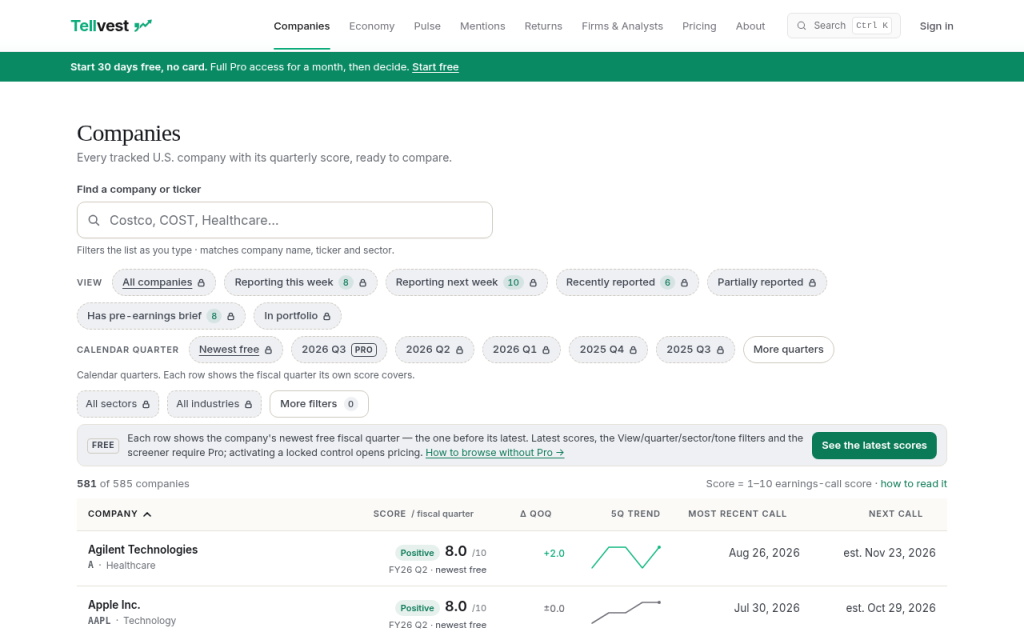
Companies discovery controls (View, Calendar quarter, Sector / Industry). Confirm the live page for current labels. - Open More filters. Use Tone (Positive / Mixed / Cautious) and, if useful, Streaks, Valuation risk, or Momentum. For the Pro screener job, switch Signals to Macro Signals or Theme Tags, then pick the signal or tag (and direction or theme sentiment when shown). Locked controls open Pricing.
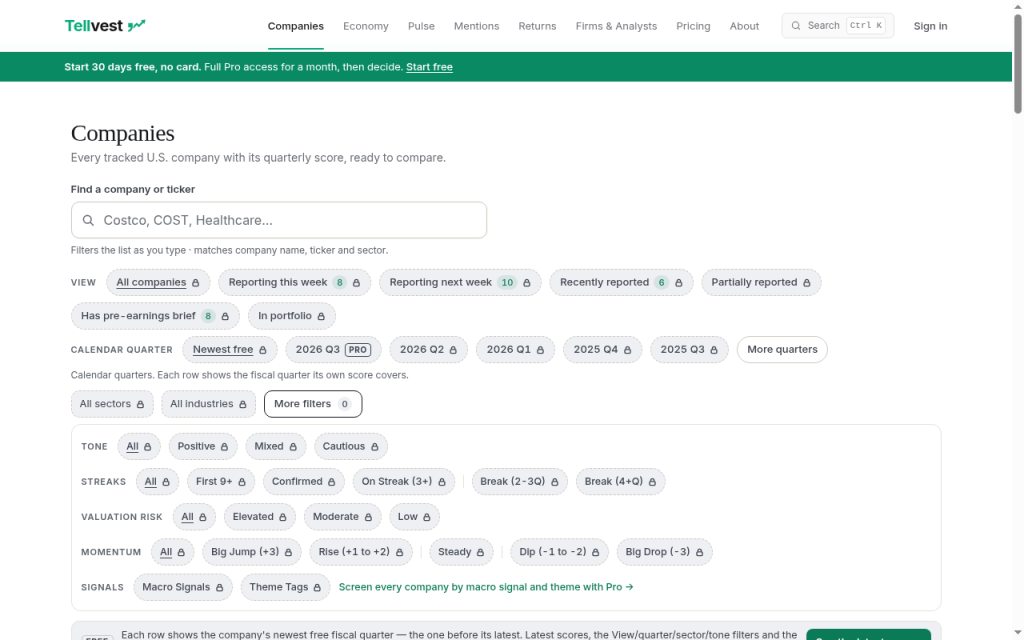
More filters with Tone and Signals entry. Confirm the live page for current chips. - Open a company row when the match matters. Dig deeper only on that company page (score, Key Themes, Mentions, Macro Signals). Use Pro when you need unlocked filters and newest-quarter tools (Read free for 30 days; every new account starts with 30 days of full Pro, no credit card).
Filter map
These are the live control families on Companies. Current Macro Signal and Theme Tag chip lists change in product; use the live Pro UI for today's options rather than a static dump here.
| Control family | What it does |
|---|---|
| View | Narrows the list by reporting window (All companies, Reporting this week / next week, Recently reported, Partially reported, Has pre-earnings brief, and related options shown in UI). |
| Calendar quarter | Chooses which calendar quarter's scores drive the list. Free users see newest-free rows by default; the latest quarter control is Pro. |
| Sector / Industry | Limits rows to a sector or industry. |
| Tone (More filters) | Filters by score band: Positive, Mixed, or Cautious. |
| Streaks (More filters) | Filters by score-streak patterns (for example First 9+, Confirmed, On Streak, Break). Exact chip labels are on the live UI. |
| Valuation risk (More filters) | Filters Elevated / Moderate / Low valuation risk chips when useful. |
| Momentum (More filters) | Filters by quarter-over-quarter score move (for example Big Jump, Rise, Steady, Dip, Big Drop). |
| Signals (More filters) | Modes: Off, Macro Signals, or Theme Tags. Macro and Theme modes are Pro. |
Anonymous users see locked Macro Signals and Theme Tags chips plus the line: "Screen every company by macro signal and theme with Pro →" (opens Pricing).
Macro Signals vs Theme Tags
Both live under Signals on the Company Screener. They answer different questions.
Macro Signals screen companies by cross-company macro signal type and direction (what management reported about shared economy themes). Pick a signal type and, when useful, a direction.
Theme Tags screen companies by a theme tag plus optional theme sentiment. Use this when you care about a company-level theme label on the call, rather than the macro-signal taxonomy.
Keep these distinct from company-page labels:
| Label | Where | Job |
|---|---|---|
| Theme Tags | Company Screener → Signals | Filter the list by theme tag (+ theme sentiment) across companies. |
| Key Themes | Company page | Per-call themes for that company. |
| Mentions | Company page (and Mentions surfaces) | Cross-company Mentions: what other companies said about a name (inbound mentions). |
| Macro Signals | Screener Signals, and also on company pages | Macro signal types / direction; screener mode filters the list across companies. |
Keep Theme Tags separate from Key Themes and Mentions. For Mentions depth, see How to read cross-company earnings mentions. For reading a single company score, see How to read a company earnings-call score.
Free vs Pro on this surface
Free: Each Companies row shows the company's newest free fiscal quarter (one before the latest). Prior quarters stay free to browse on company pages. You can open the Companies list, but locked View / quarter / sector / tone filters and the macro signal and theme screener require Pro.
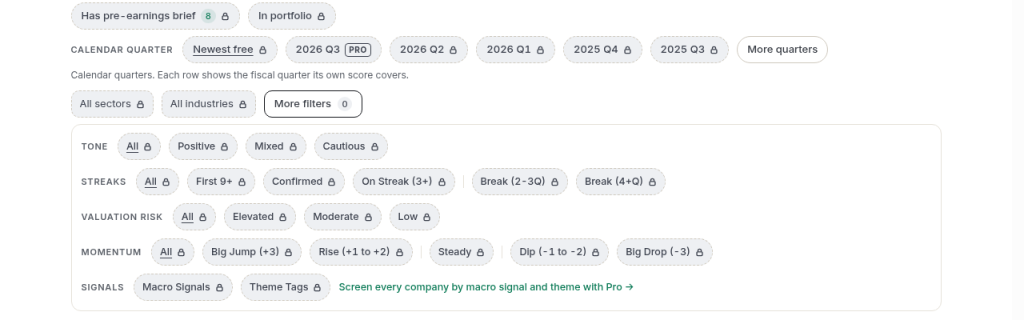
Pro: Unlock latest scores, the View / quarter / sector / tone filters, and the screener (including Macro Signals and Theme Tags under Signals). About and Pricing state that Tellvest Pro includes the macro signal and theme screener across 500+ public companies. Pricing: every new account starts with 30 days of full Pro, free. No credit card required. Then $12/month or stay free. Details: Pricing. For the free-browse path (scores and prior quarters, separate from this filter walkthrough), see How to browse earnings scores without Pro.
Where to go next
Open Companies, set discovery and More filters, then (with Pro) Macro Signals or Theme Tags. Open only the rows that matter. Optional market backdrop: See the Economic Sentiment Index.
Frequently asked questions
What is the Company Screener on Tellvest?
The Company Screener is the Companies product surface at /companies. It lists public companies with Tellvest earnings-call scores and lets you filter by discovery controls, More filters (Tone and related chips), and (with Pro) Macro Signals or Theme Tags under Signals. It is descriptive earnings-call intelligence.
How do I filter companies by sector or industry?
On Companies, use the Sector and Industry controls in the discovery band. For anonymous users those controls are locked and open Pricing. Combine with View, Calendar quarter, Tone, or Signals as needed.
What do Tone, Streaks, Valuation risk, and Momentum mean in More filters?
They are analysis chips behind More filters. Tone is the Positive / Mixed / Cautious score band. Streaks filters streak patterns on the score. Valuation risk filters Elevated / Moderate / Low. Momentum filters by quarter-over-quarter score move. Exact chip wording is on the live UI.
What is the difference between Macro Signals and Theme Tags?
Both sit under Signals. Macro Signals filter by macro signal type and direction across companies. Theme Tags filter by theme tag and optional theme sentiment. Use live Pro UI for current signal and tag lists.
Are screener filters free or Pro?
Prior-quarter company rows stay free to browse. Latest scores, View / quarter / sector / tone filters, and the macro signal and theme screener require Pro (live free note on Companies; About and Pricing). Trial: Read free for 30 days.
How is Theme Tags different from Key Themes on a company page?
Theme Tags are a screener Signals mode that filters the Companies list. Key Themes are per-call themes on a company page. Same product family of themes, different surfaces and jobs.
How is this different from Mentions?
Mentions are cross-company Mentions (what other companies said about a name). This guide is about Company Screener filters, including Theme Tags and Macro Signals.
Does the screener predict earnings or the stock?
Tellvest publishes descriptive analysis of public earnings materials. It does not forecast results or stock moves, and it has no buy or sell language.
Is this investment advice?
Tellvest is for research and informational purposes only. It is not investment advice. Past performance does not predict future results.
Where do I go after I find a matching row?
Open the company. Dig into the score, Key Themes, Mentions, or Macro Signals on that page only where needed. Return to Companies when you want another filter pass.